BlackVue DR750-2CH IR LTE

BlackVue DR750-2CH IR LTE

  • $449.99


BlackVue DR750-2CH IR LTE monitors both the front and the interior of your vehicle in Full HD, making it ideal for taxi or rideshare (Uber, Lyft) drivers.
The front camera records the road ahead while the interior IR (infrared) camera captures every detail of the cabin, even in pitch black lighting conditions.
With its built-in 4G LTE, stay connected and add a layer of protection to your car with BlackVue Cloud.

blackvue-interior-infrared-ir-camera

Discreet Full HD Interior Infrared Camera

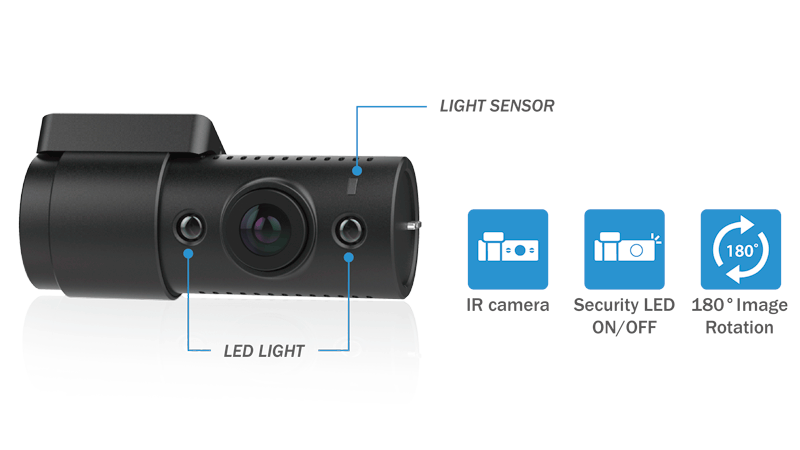
The IR camera is connected to the front camera via 1.5m (4.9ft) coaxial cable. The Interior IR cameraĀ truly sees in the dark, even pitch-black lighting conditions, thanks to its integrated infrared LED light that activates automatically based on the ambient light.
A DASHCAM BUILT FOR THE CLOUD

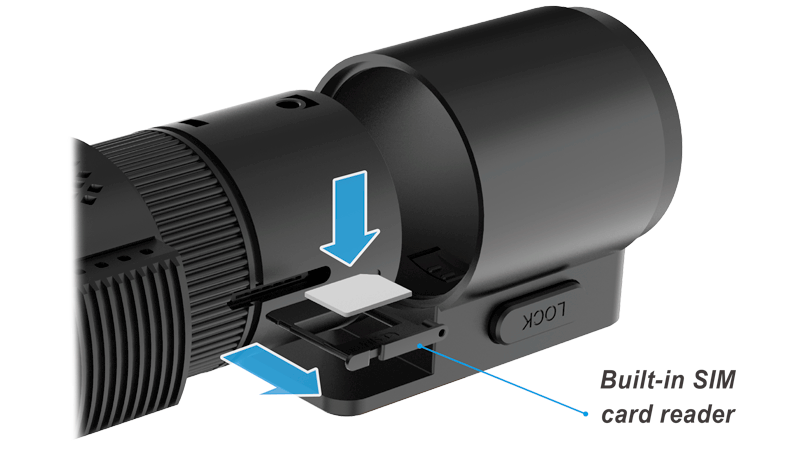
Built-in 4G LTE connectivityĀ makes connecting to the Cloud hassle-free.

Full HD 1080p Front (60FPS) and Interior (30FPS)

Wide view angle front (139 degrees) and interior (145 degrees).

The IR camera connects to the front camera via coaxial cable–available in 1.5m (4.9ft) and 6m (19.68ft) options.

The Interior IR cameraĀ truly sees in the dark, even pitch-black lighting conditions, thanks to its integrated infrared LEDs that activate automatically based on the ambient light.
Ā 

STARVIS is a trademark of Sony Corporation.

DR750-2CH-LTE-wifi-lte

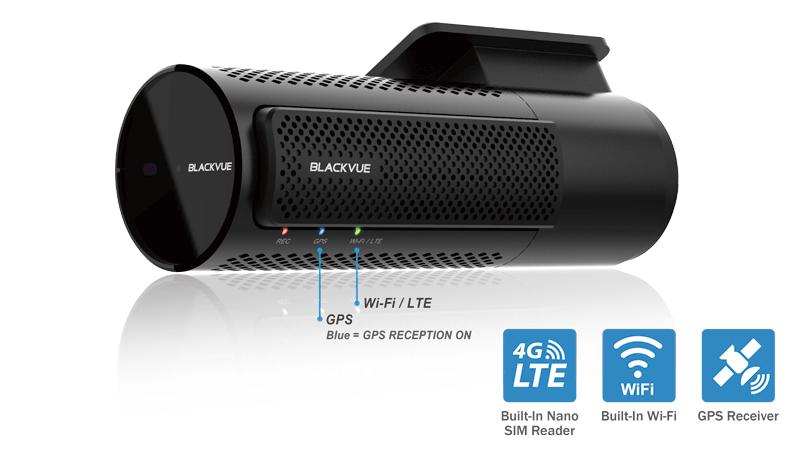
LTE, WI-FI AND GPS ALL BUILT-IN

GPS ADDS LOCATION AND SPEED DATA TO YOUR VIDEOS

Speed:Ā speed data will be overlaid in the video (can be turned off in the settings).
You can set speed display in Kilometers per hour (Km/h) or Miles per hour (Mph).
Location:Ā visualize your vehicle’s location in the BlackVue App or Viewer’s Map.

CONNECT TO YOUR DASHCAM OVER WI-FI OR THE CLOUD

Wi-FiĀ lets you connect to your BlackVue with a smartphone or tablet.
LTEĀ gives you access to your BlackVue over the Cloud from anywhere, anytime.

BLACKVUE CLOUD

ME AND MY CAR. CONNECTED.

Let BlackVue watch over your car and warn you of incidents, like impacts, viaĀ Push Notifications.Ā 
Connect to your BlackVue anytime, from anywhere and check on your car withĀ Remote Live View.
Play recorded videosĀ remotely andĀ back upĀ important ones to the Cloud or your phone.
EnjoyĀ Two-way Voice CommunicationĀ with the driver from the app through the BlackVue’s integrated speaker and mic. Check theĀ BlackVue Cloud pageĀ for more information.

blackvue-cloud-diagram
DR750-2CH-LTE-parking-motion-impact-detection

BUILT-IN SPEAKER, IMPACT SENSOR AND MOTION DETECTION

Speaker:Ā your dashcam tells you when it turns on, shuts down or detects errors.
Accelerometer:Ā detects impacts to trigger Event recording. Enables Parking Mode* when stationary for 5 minutes.
Motion detection:Ā while in Parking Mode, your dashcam can record videos as movement is detected by either the front or interior camera.
Video filters (N,E,P,M):Ā display the types of videos you need in the BlackVue App and Viewer. The filters areĀ Normal,Ā Event (Impact),Ā Parking motion,Ā Manual Event.

(*) Parking Mode Kit or Battery is required.Ā Learn more about Parking Mode.

BLACKVUE APP (IOS, ANDROID) AND VIEWER (WINDOWS/MAC)

EASILY MANAGE YOUR VIDEOS AND ACCESS CLOUD FEATURES

Both the BlackVue App and Viewer areĀ free to download and use.

Easily change yourĀ BlackVue configurationĀ settings andĀ browse through your videosĀ intuitively, either from theĀ SD card or over the Cloud.

With the BlackVue App, access your BlackVue’s videos over Wi-Fi or the Cloud and check real-time Live View for perfect positioning of your dashcam.

blackvue-app-viewer-cloud-android-ios-mac-windows

DR750-2CH-LTE-format-button

SLEEK DESIGN AND CONTROLS

MULTIFUNCTION BUTTON AND CUSTOMIZABLE PROXIMITY SENSOR

BlackVue’s stealthy design incorporates easy access to useful functions.
Proximity sensor:Ā toggle audio recording ON and OFF by simply waving your hand in front of it. The sensor can also be configured to trigger Manual Event videos in the settings.
Wi-Fi button:Ā turn Wi-Fi ON/OFF (short press), reset your Wi-Fi password (hold until voice prompt, then short press) or format the microSD card (hold until voice prompt, and then hold again). All actions are confirmed by a voice prompt.

OPTIMIZED FILE MANAGEMENT

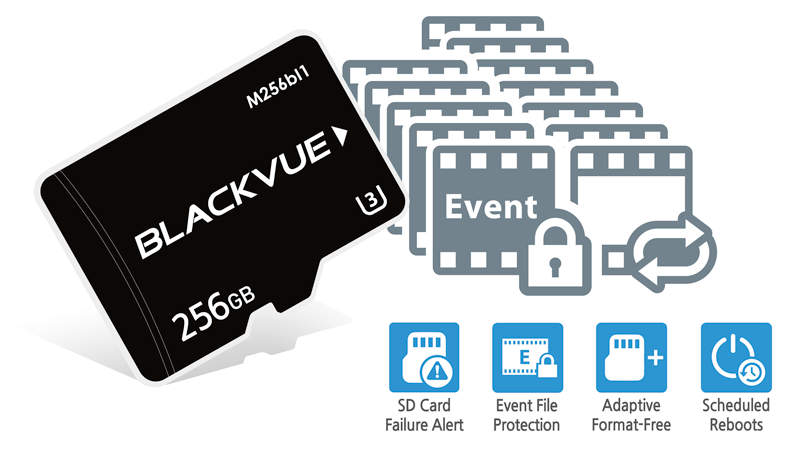
Event Files Overwrite Protection:Ā dashcams record in a loop but BlackVue DR750-2CH LTE can prevent the overwriting of up to fifty (50) Event files (triggered manually or by impacts). You can choose to allow new Event files to overwrite past Event files, thus keeping the latest fifty.
Adaptive Format-Free File Management:Ā developed by BlackVue, this file system improves recording stability and reduces the need for microSD card formatting, while giving you the flexibility to change recording time unit (1/2/3 minutes) and quality settings.
SD Card Failure Alert:Ā your BlackVue detects as soon as the microSD card fails and warns you with a ā€œPlease check SD cardā€ voice alert.
Scheduled Reboots:Ā see Parking Mode section below.

blackvue-micro-sd-adaptive-format-free

TAMPER-PROOF CASE (OPTIONAL)

The Tamper-Proof Case is a security accessory that blocks physical access to the microSD card slot, and prevents unplugging the power and coaxial cables, thus highly reducing risks of data tampering.
Note:Ā unlike tamper-proof cases for other models, the BTC-3A designed for DR750-2CH LTE / DR750-2CH IR LTE replaces the dashcam’s mount.